… The image changes if it clicks.



|
It is a tool to display the communication log of the GEM Server and the GEM/SECS Simulator.
<Screen Composition>
The display of the communication log message can be switched by setting the
following item.
|
-
Main Screen (Mode: History View) Display Chenge
Binary Dump List Dump Binary/List Dump
-
Main Screen (Mode: History View) Filter Option Chenge
SECS SECS_CTL DATASECS, SECS_CTL SECS, DATA SECS_CTL, DATASECS, SECS_CTL, DATA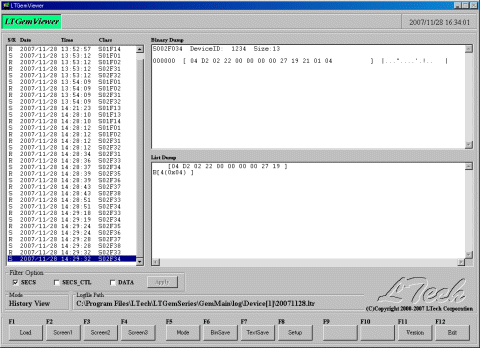
-
Main Screen (Mode: RealTime Mon.)
Display: Binary/ListDump Filter Option: SECS、SECS_CTL、DATA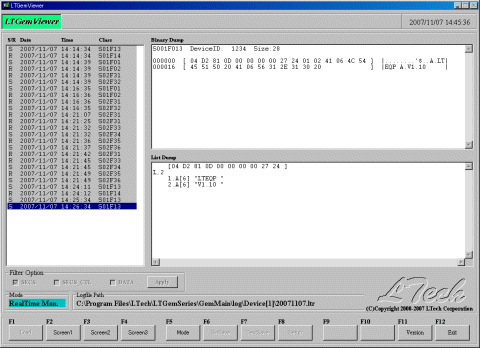
-
Setup Screen

[LTGemViewer] Message Log Viewer